

Temperature loads in Prokon SUMO simulate thermal expansion or contraction in structural elements due to environmental temperature changes such as summer heat or winter cold. These effects are particularly significant in long-span structures like bridges, industrial halls, and precast systems.
Application on Concrete Slabs
- Structure Setup:
- The model includes a concrete slab- such as a raft foundation or surface bed-supported on an area support with a defined subgrade modulus.
- Load cases (for example Dead and live loads) and load combinations are predefined and applied.

- Adding Temperature Load:
- Apply the temperature effect as an area load to the slab.
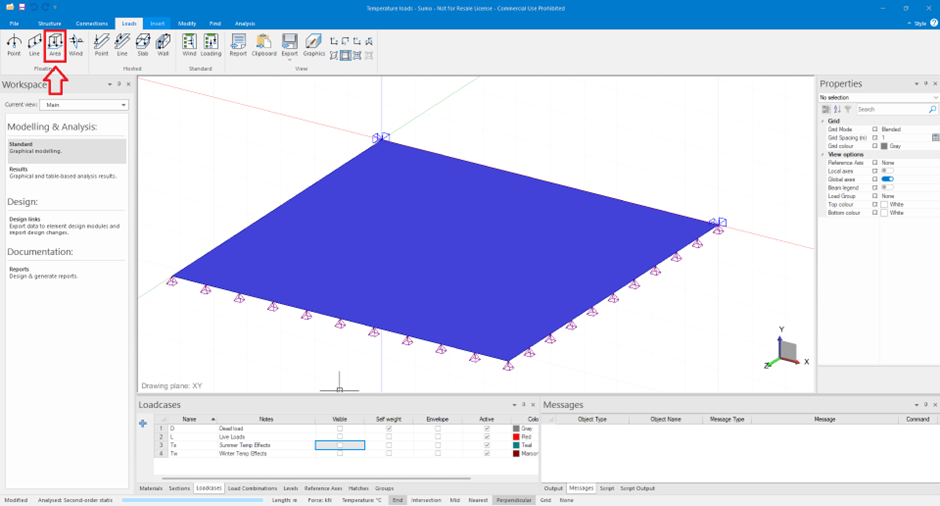
- Adding Temperature Load:
- Apply the temperature effect as an area load to the slab.
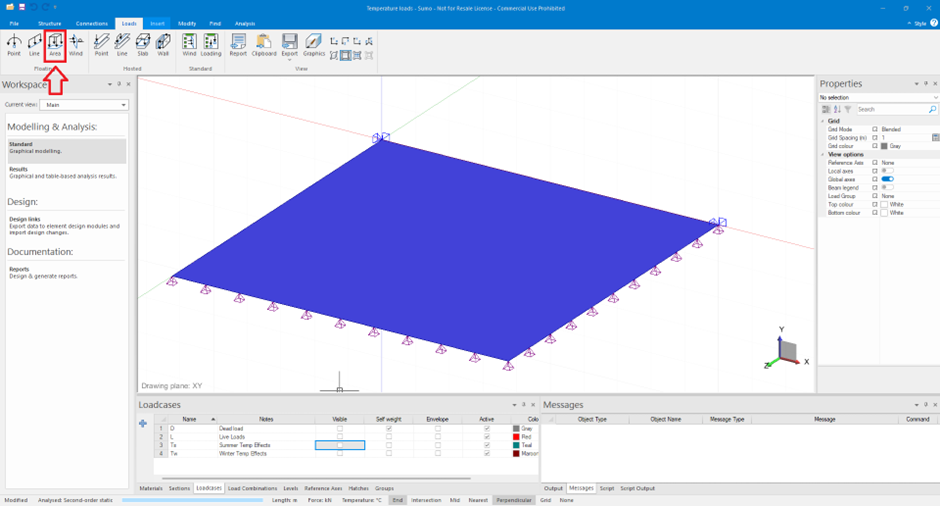
- Navigate to the Load Properties table.
- Specify Temperature Change (ΔT) in degrees Celsius (°C).
- +15°C for summer → Expansion.
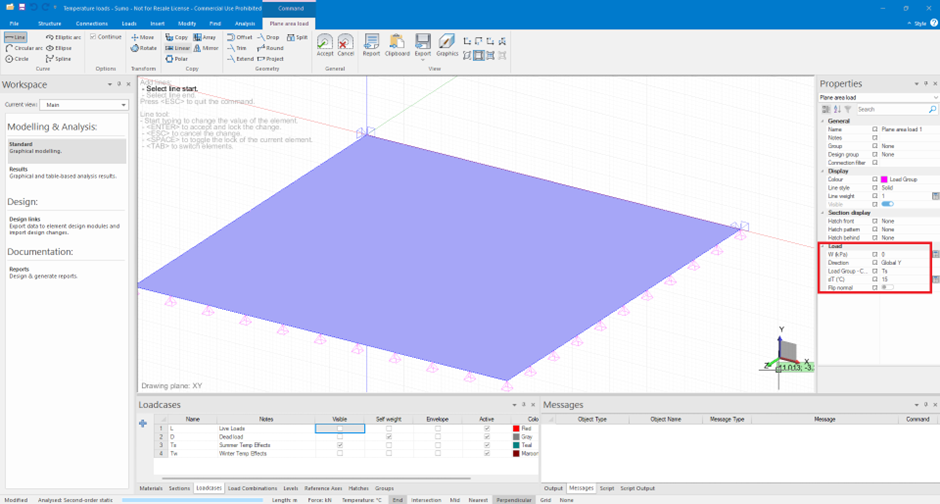
- –20°C for winter → Contraction.

- Visual Indicator:
- Arrows pointing outwards → Expansion

- Arrows pointing inwards → Contraction or shrinkage of the slab.

- Post-Analysis:
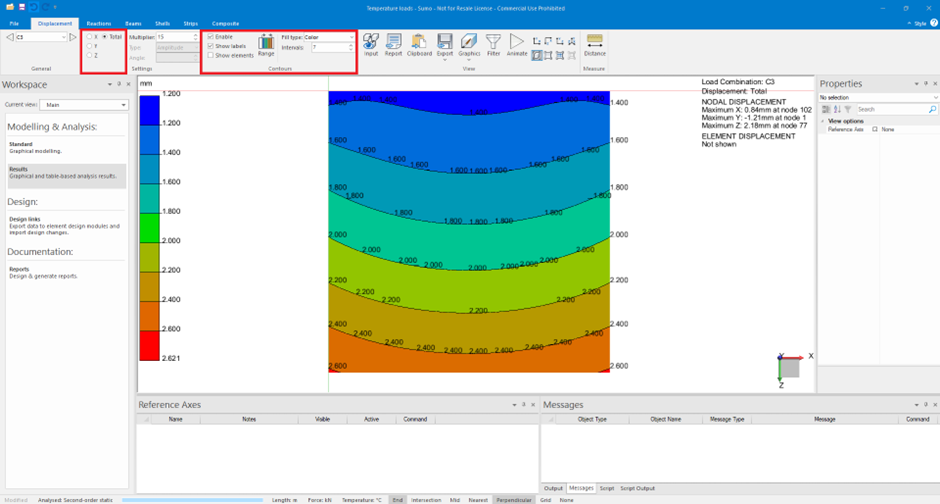
- Analyse the model and animatethedisplacements to observe thermal effects.
- Use Contours to display displacements across the slab:
- View results in X- or Z-direction, or total displacement.
Application on Steel Structures
- Structure Setup:
- A Steel-framed building with columns, rafters, eaves beams, and purlins.
- Load cases (for example Dead and live loads) and load combinations are predefined and applied.

- Adding Temperature Load:
- Apply the temperature effects as hosted line loads on beams.
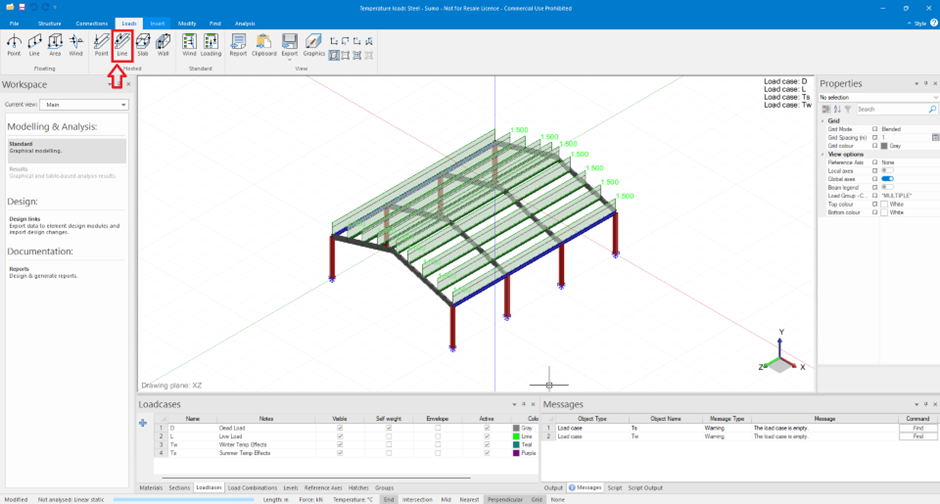
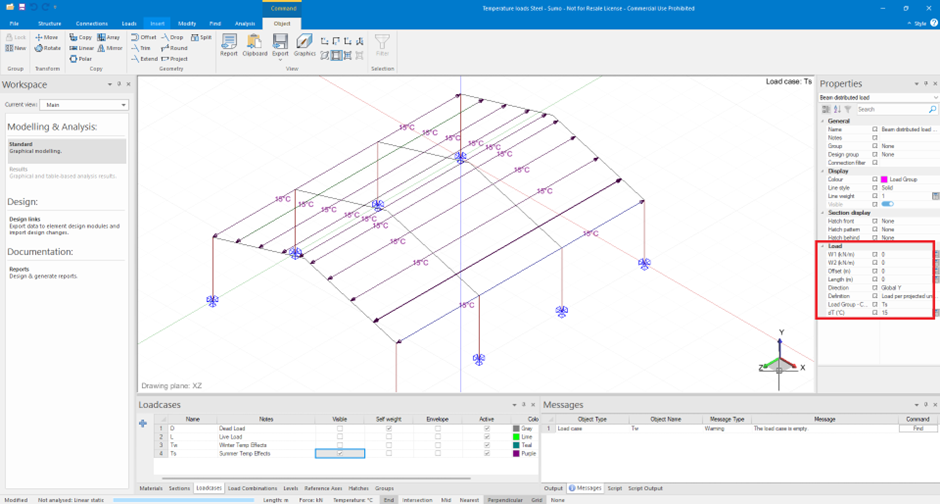
- Input the Load Properties table, specify Temperature Change (ΔT) in degrees Celsius (°C):
- +15°C → Expansion (Tension in beams)
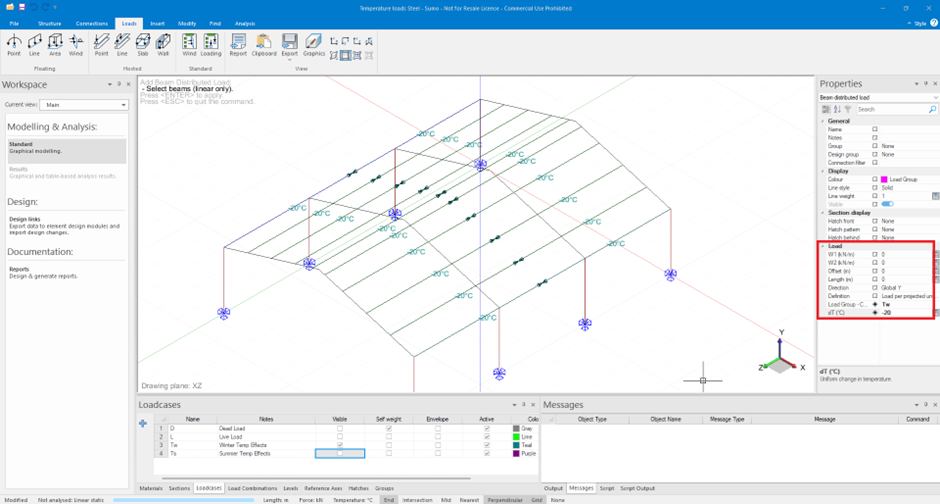
- –20°C → Contraction (Compression in beams)
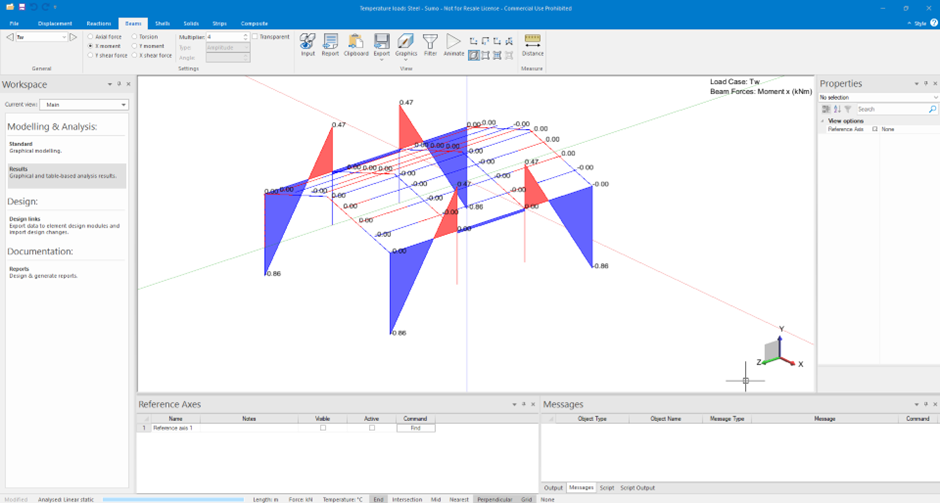
- Post-Analysis:
- analyze the steel structure to view and animate the displacement for the various load cases and load combinations

- Review the support reactions, internal beam forces, and moments under temperature loading.
Key Notes:
- The direction of displayed loads reflects structural response:
- Outward → Tensile behavior (expansion)
- Inward → Compressive behavior (contraction)
- Ensure that thermal expansion coefficients for materials are defined correctly.
- SUMO’s contour plots and animations help visualize and interpret thermal effects intuitively.
Temperature loads in SUMO are intuitive to apply and provide valuable insights into structural behavior under varying environmental conditions. Properly accounting for these loads ensures a more resilient and serviceable design—especially in climates with large temperature fluctuations.
Was this helpful?
Thanks for your feedback!
