
Introduction
If you have ever tried to simulate an elastic foundation (soil) in a program like Frame, you know how repetitive the process can be. You must create coincident nodes, track node numbers, define springs, and assign stiffness values. The approach is accurate but also time-consuming. At the same time, it helps reveal the mechanics behind foundation modelling. SUMO takes these principles and simplifies the workflow by automating the setup.
Modelling Soil in SUMO
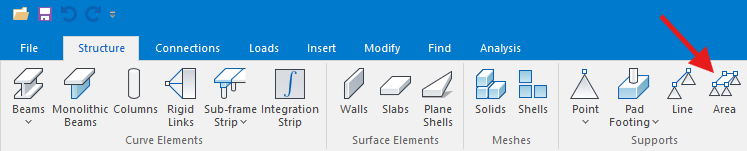
In SUMO, soil is defined with the Plane Area Support command. To use it, you set the perimeter of the support and assign a Subgrade Modulus value.
The Subgrade Modulus is expressed in kN/m³. To convert this to kN/m, multiply it by the tributary mesh area. With a good mesh, the tributary area remains constant across most nodes. Variations occur only at the corners and edges.
After applying the Plane Area Support and generating the slab mesh, SUMO assigns a spring at each nodal point. The software then calculates the stiffness of each spring from the Subgrade Modulus and the tributary area. This direct calculation saves time and reduces errors. The image below illustrates how tributary areas differ at corners, edges, and internal nodes.

Conclusion
By automating spring creation and stiffness calculation, SUMO turns a manual and repetitive task into a quick and reliable process. Engineers gain more time to refine their models and less need to focus on node management or spring definitions. At the same time, the method preserves a clear link to the underlying mechanics, which ensures results remain transparent and technically sound. This balance of efficiency and accuracy makes SUMO a powerful solution for modelling slabs on elastic foundations.
