
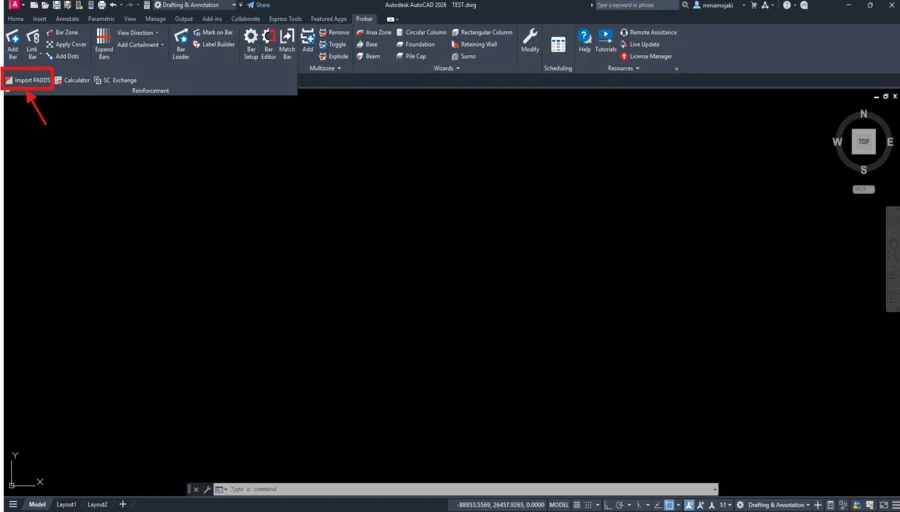
This process allows you to generate and manage bending schedules directly from reinforcement detailed in Padds within Probar 2D.
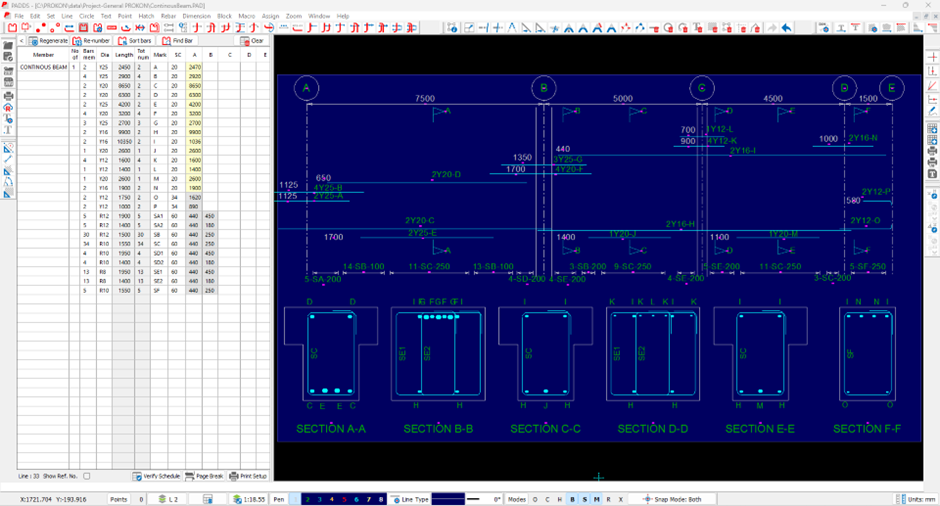
Prepare Your Padds Drawing
Before importing, ensure the following:
- All reinforcement bars are properly drawn
- Bar marks and shape codes are correctly assigned
- Layers are clean, structured, and well-organized
- The file is saved in .PAD format
Important:
Only include relevant reinforcement. Remove unnecessary construction lines or notes.
Open Probar 2D
- Launch AutoCAD, Probar 2D is an AutoCAD-based environment.
- Open a new or existing drawing.
- Ensure you are working in Model Space.
Import the Padds File
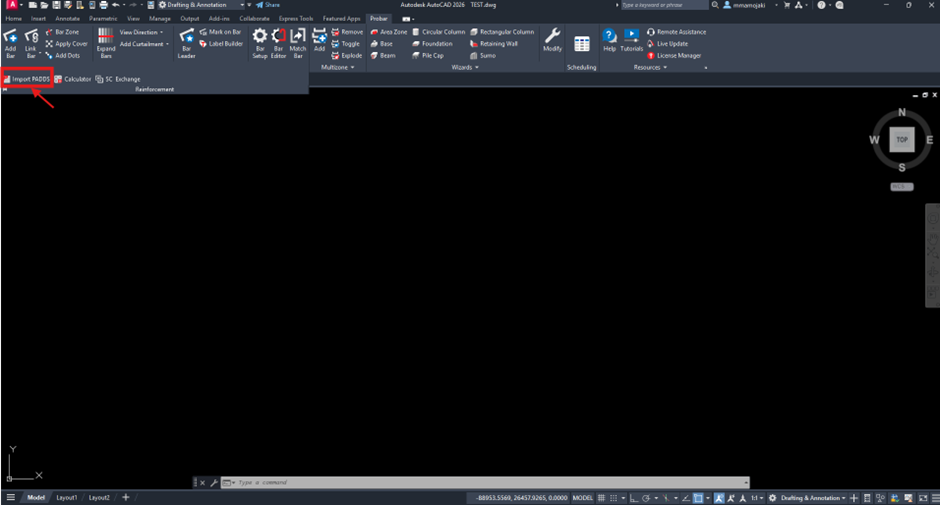
- Navigate to:
- Probar → Reinforcement → Import PADDS
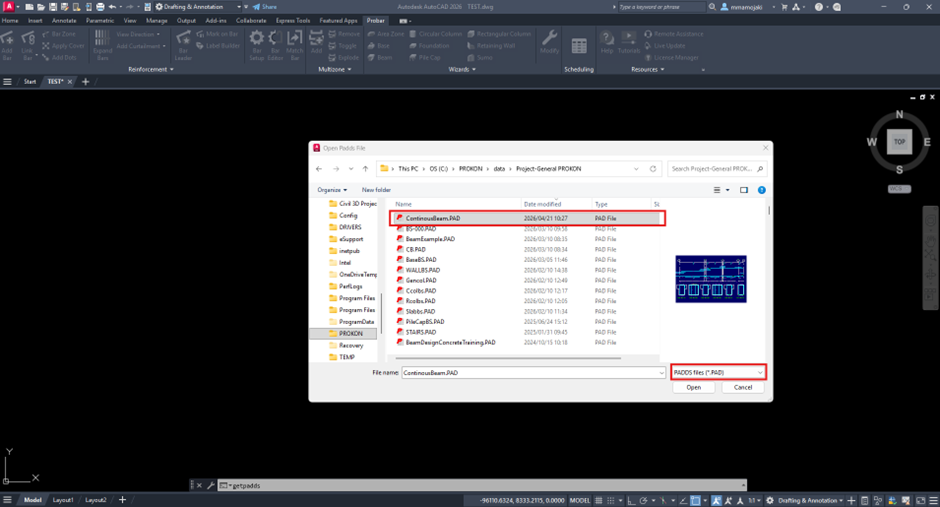
- Browse to the location of your file and select the .PAD file.
- Specify the insertion point in Model Space.
The PADDS file will now be imported into your Probar 2D drawing.
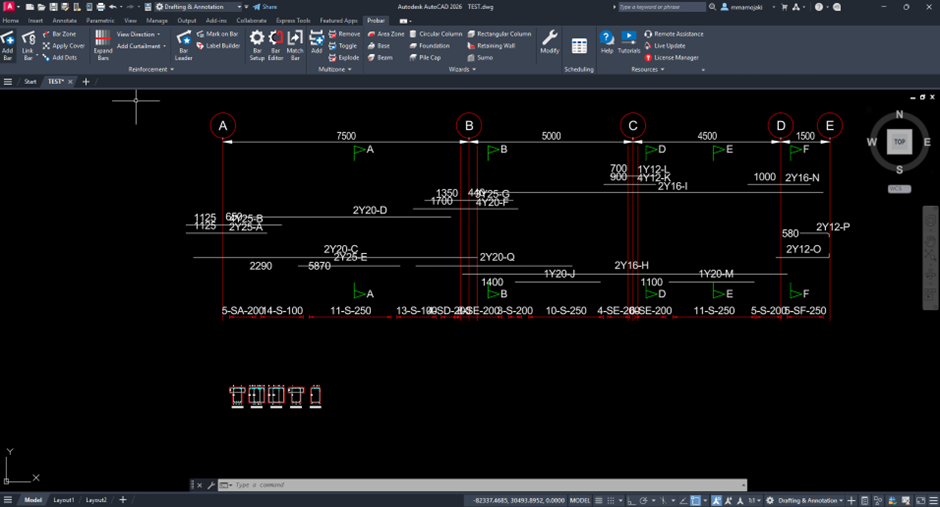
Recognise Reinforcement Data
- Probar 2D automatically detects:
- Reinforcement bars
- Bar marks
- Shape codes
If data is not recognized:
- Confirm reinforcement was correctly defined in PADDS.
- Check that proper bar entities (not lines) were used.
- Check if the rebar is added correctly in PADDS.
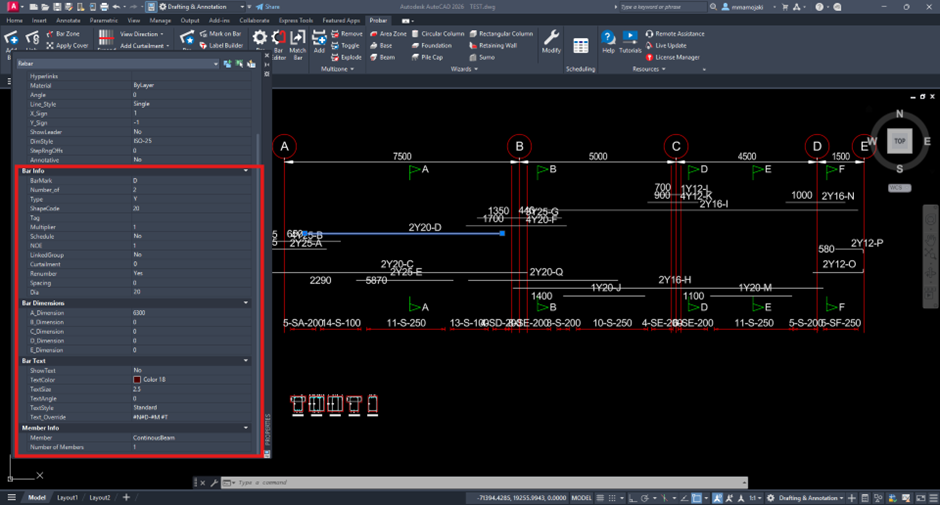
Modify & Optimise Bar Marks
Use the Scheduler tools to refine your reinforcement data:
- Renumber bar marks
- Optimize bar grouping
- Consolidate similar bars
Selection methods include:
- Selecting bars directly in Model Space
- Selecting members within the Scheduler
- Selecting cells in the schedule table
Generate the Bending Schedule
- Navigate to Scheduler tab.
- Click Publish → Insert into AutoCAD
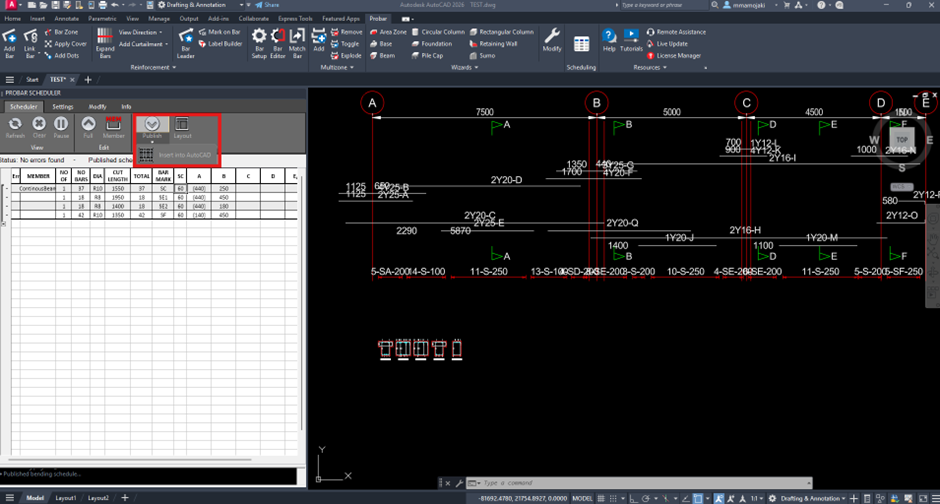
- Choose to publish:
- The entire drawing schedule, or
- Specific members or zones
- Place the schedule table in your drawing
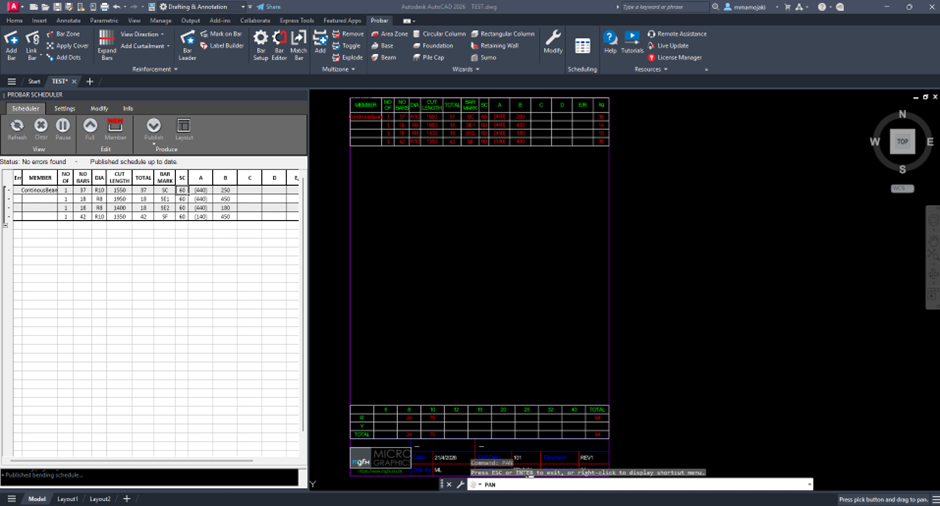
Apply Company Template (Optional)
Enhance your schedule presentation by:
- Loading a customized schedule template (.DWG)
- Add:
- Company logo
- Project details
- Title block
Best Practice
- Always verify bar marks and quantities before finalizing or importing the PADDS File.
- Keep reinforcement on dedicated layers.
- Regenerate schedule after any drawing change.
- Use schedules as final check before issuing drawings.
Was this helpful?
Thanks for your feedback!
