

Introduction
The PROKON Probar 2D Scheduler is a powerful tool that allows users to:
- Generate bending schedules directly from reinforcement drawings
- Customize templates to align with company standards
- Modify and optimize bar marks
- Quickly locate reinforcement in AutoCAD model space
Customising the Schedule Template
Locate the Template File
- Navigate to the Probar 2D installation folder:
C:\Prokon\Probar 2D\
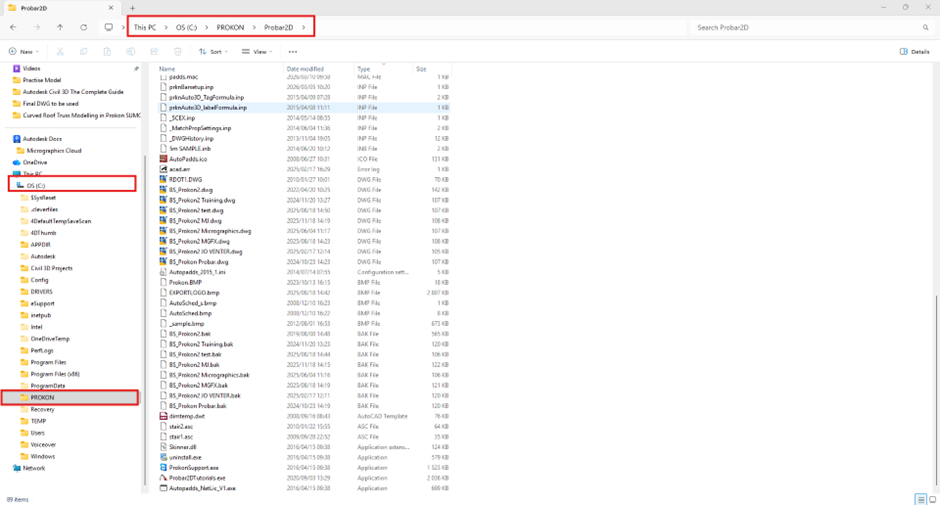
- Locate the scheduler DWG template file
Editing the Template in AutoCAD
- Open the DWG file in AutoCAD
- Modify the template as follows:
Remove Default Branding
- Delete the existing PROKON logo
Add Company Logo
- Insert your company logo:
- Format: Bitmap image (.bmp)
- Save in the same folder as the DWG
Add Company Details
- Company name
- Website
- Contact Details

Save the Template
- Rename the DWG file (e.g., Company_Schedule_Template.dwg)
- Save it in the same Probar 2D directory

Loading the Template into the Scheduler
- Open the Probar 2D Scheduler
- Navigate to the Settings ribbon tab
- Click the three dots (…)
- Browse and select:
- Your customized template
- Your company logo
This ensures your template is used when generating schedules.

Publishing the Schedule
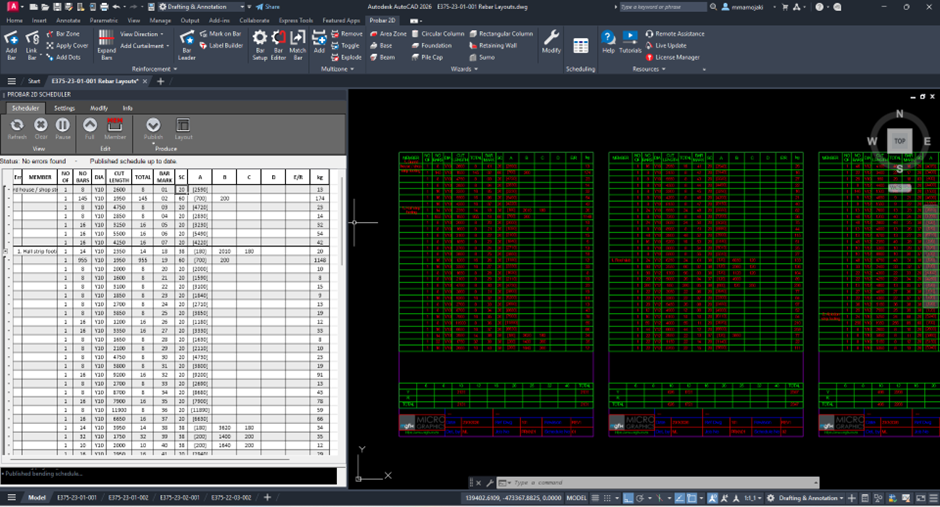
- Click Publish
- Select one or more sheets
- Choose insertion point (top-left corner)
✔The schedule will be inserted as an AutoCAD table
✔ Existing tables for the same member set will be replaced
Key Benefits
- Consistent company-standard schedules
- Faster schedule generation
- Automatic updates without duplication
- Easy tracking of reinforcement in drawings
Best Practice Tips
- Always store logos in the same folder as the template
- Use clear naming for templates (e.g., Company_Std_Schedule)
- Avoid editing schedules manually in AutoCAD
- Use scheduler tools for all updates
- Verify bar marks after renumbering
Conclusion
Customizing bending schedules in PROKON Probar 2D allows you to:
- Standardise documentation
- Improve workflow efficiency
- Maintain accurate and professional reinforcement schedule
Was this helpful?
Thanks for your feedback!
